


Your company profile is what brands, agencies and producers see when they find you on Prodreel. This guide goes through every section of the listing form: what to enter, where it shows on your page, and tips for making it stand out.
A complete profile also ranks higher in the directory. To see how ranking and the Profile Completion score work, read How Company Listings Are Ranked on Prodreel.
Before you start
- Create a Prodreel account. See User Registration.
- Check whether your company is already listed. Prodreel has already added many production companies. If yours is one of them, claim it for free so you can edit it rather than creating a duplicate. See Claim Company Profile. Claims are reviewed by the Prodreel team before they're approved.
- If your company isn't listed, go to prodreel.com/create-company to create a new listing.
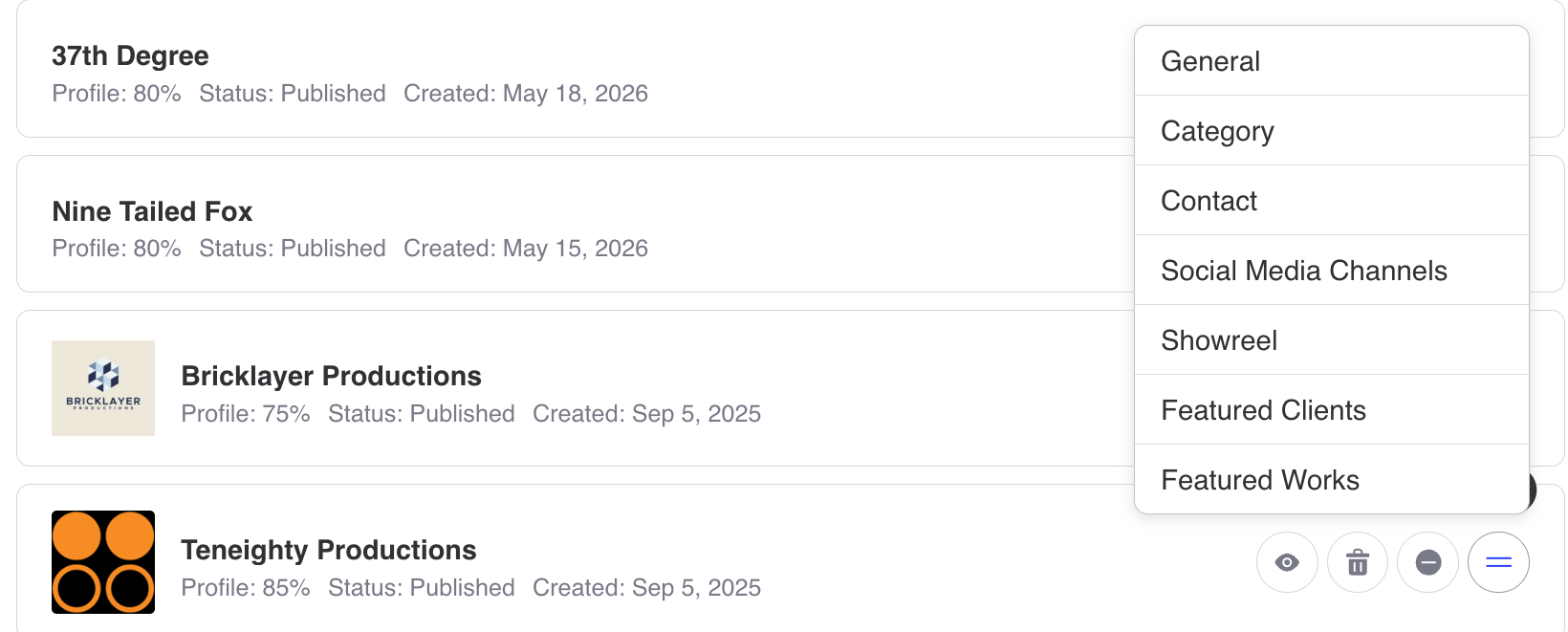
- To edit a listing you already own, go to My Listings, click the Edit icon (≡) next to your company and choose the section you want to update.
Have these ready
Your logo (square works best), a one-line tagline, a short company description, your showreel link (YouTube or Vimeo), and a list of your best productions with their YouTube or Vimeo links. With these to hand, the whole form takes about 15 minutes.
Sections in this guide
- General
- Category
- Contact
- Social Media Channels
- Showreel
- Featured Clients (Pro)
- Featured Works
- Production Credits (Pro)
- Awards (Pro)
- Complete-profile checklist
- Common questions
1. General
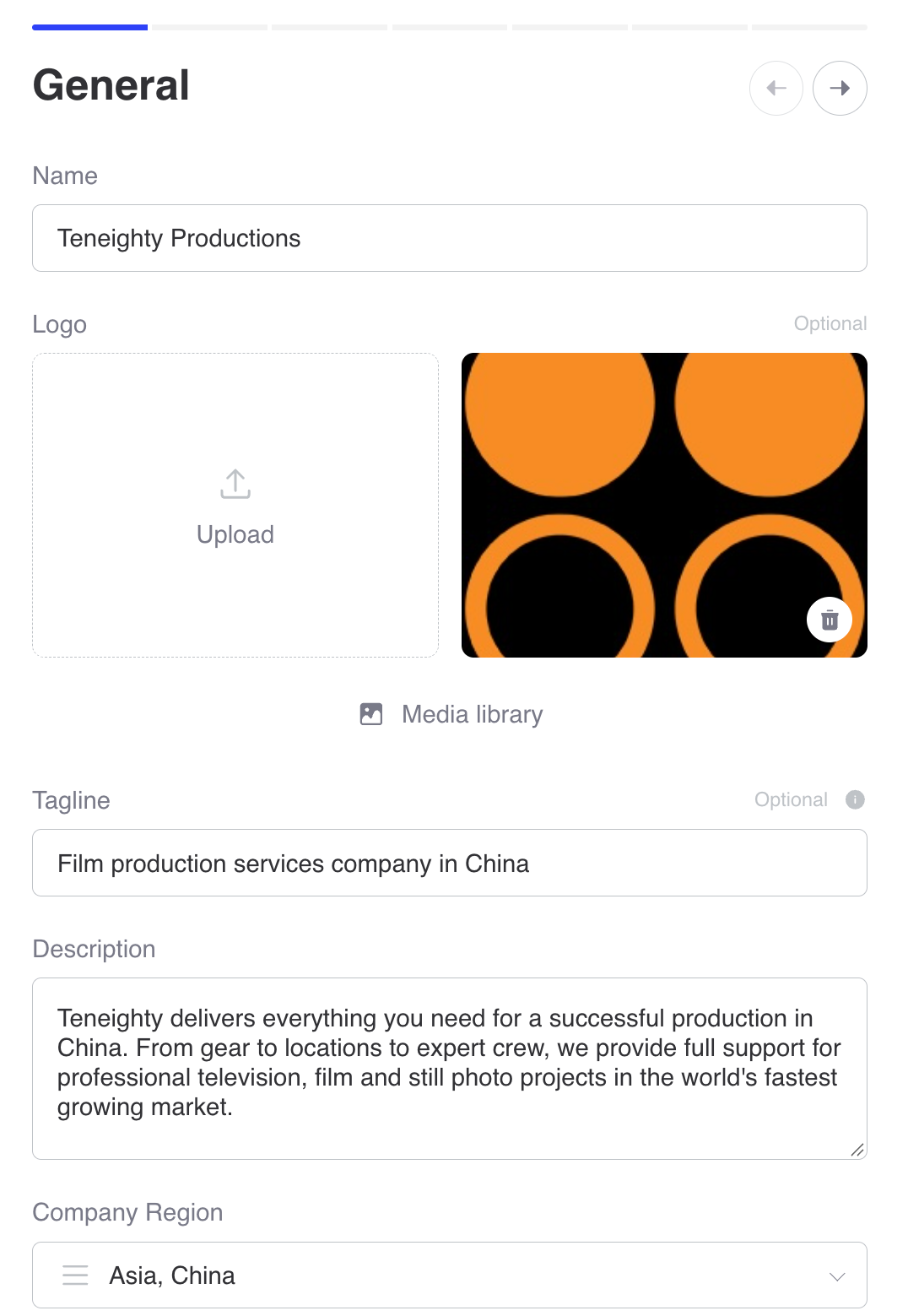
This is the top of your profile and the information shown on your listing card in search results.
- Name (required): your company name as clients know it.
- Logo: shown in your page header and on your listing card. Use a clear, square image with good contrast.
- Tagline (max 100 characters): one sentence under your name. A good formula is catchy intro + main service + City, Country.
Example: "Award-winning commercials and music videos, produced in Bangkok, Thailand." - Description: the About section of your page. Say what you make, who you work with, what sets you apart, and what services you offer (for example production services, fixing, casting, locations, post-production).
- Company Region and Company Country (required): decide which regional and country pages your company appears on.
- Timezone: lets visitors see your current local time, so international clients know when you're available.
- Founded: the year you started (for example 2015). Shown as "Est." in your header.
- Size: your team size (2–10, 11–50 or 51–200).
2. Category
- Category (required): the main type of company you are. Visitors filter the directory by category, so choose the one that best describes your main service.
- Language: select every language your team works in. Brands filming abroad often look for this.
3. Contact
- Address: search for your office address and pick it from the list. It appears in the Quick snapshot on your page.
- Email and Phone Number: used by Prodreel to reach you about enquiries and your listing. They are not shown publicly on your page. Visitors contact you through the Contact button and form instead.
- Website (required): your company website.
4. Social Media Channels
Add links to your company's LinkedIn, Instagram, Vimeo, YouTube and Facebook pages. They show as buttons in the Quick snapshot on your page. Empty ones are hidden.
Use full profile links
Paste the full address of your company page, for example https://www.linkedin.com/company/your-company, rather than a personal profile or a single post.
5. Showreel
Your showreel appears as a large video player near the top of your page, and it's usually the first thing a producer clicks.
- Paste a YouTube or Vimeo video link, for example
https://vimeo.com/123456789orhttps://www.youtube.com/watch?v=…. - Only YouTube and Vimeo links play. If you paste a link to your website or another video host, the Showreel section won't appear on your page.
- Make sure the video is public or unlisted, not private, and that embedding is allowed.
6. Featured Clients (Pro)
Brands and companies you've worked with: add up to 6 client names. On Pro listings they appear in a Trusted by section at the top of your page and on your listing card.
- Use the brand name only, for example Nike or Toyota. Don't add logos or campaign names.
- Add your best-known clients first.
Available on Pro
This section only appears in the form for Pro listings. See listing plans.
7. Featured Works
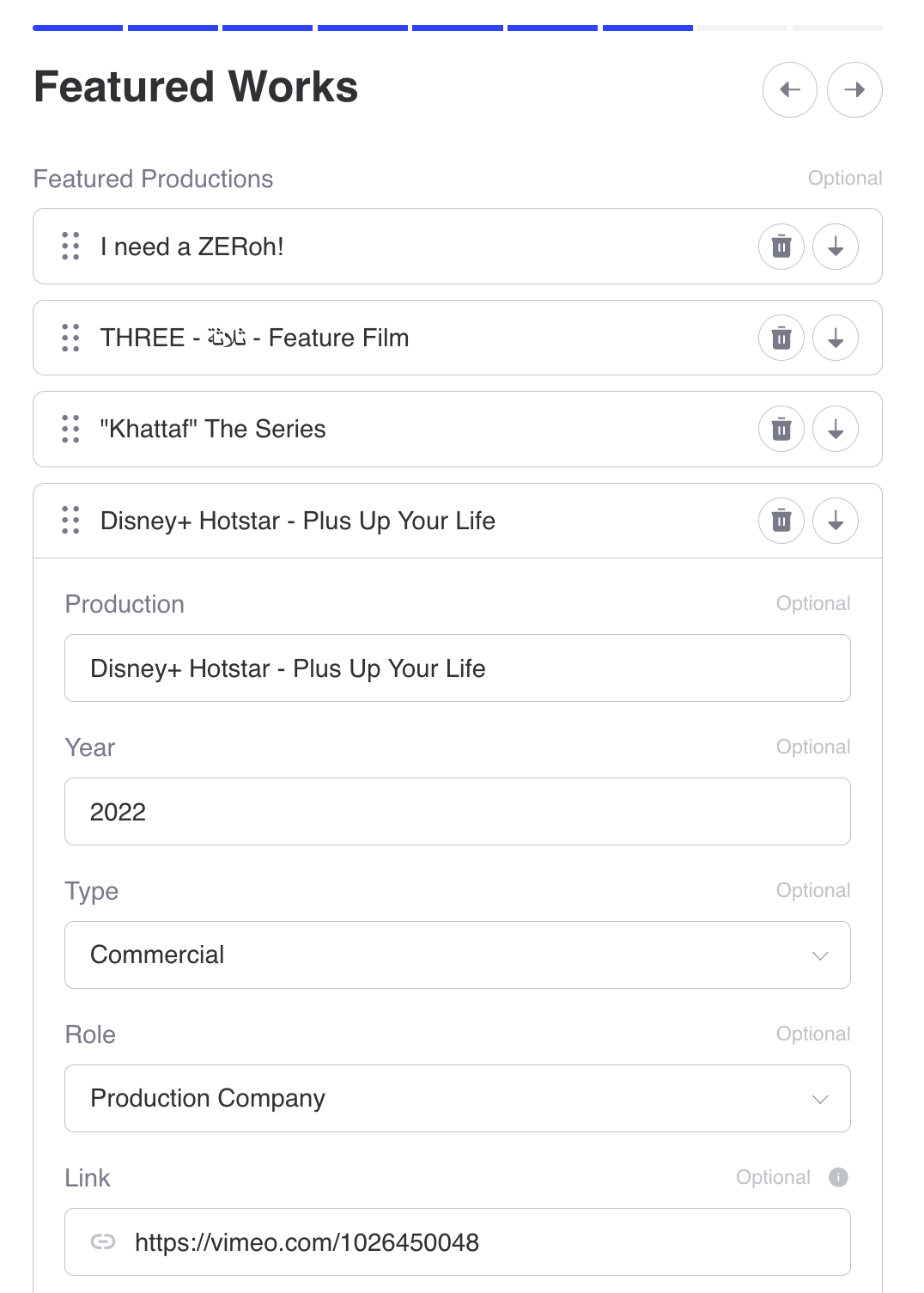
Your showcase. Featured productions are shown as video cards with thumbnails, and visitors can play each one on your page. You can add up to 9.
For each production, fill in:
- Production: the title, for example "Brand X – Summer Campaign". Always fill this in.
- Year: for example 2025.
- Type: Commercial, Music Video, Series or Film.
- Role: Production Company or Production Services.
- Link: a YouTube or Vimeo link to the video. The thumbnail and player come from this link.
Choose your strongest work
Pick your best and most recent projects, ideally a mix of the types of work you want more of. Put your strongest piece first.
8. Production Credits (Pro)
Your full list of credits. Featured Works is a visual showcase (available on every listing); Production Credits is the complete record of your work, shown as a list with year, title, type and role. If you add a YouTube or Vimeo link, a Watch button opens the video in a pop-up player.
The fields are the same as in Featured Works: Production, Year, Type, Role and Link.
Available on Pro
This section only appears in the form for Pro listings, and credits only show on Pro company pages. See listing plans.
9. Awards (Pro)
List awards your company has won. For each award, add:
- Award Title: the award and category together, for example "Cannes Lions – Silver, Film Craft".
- Award Description: a short line, around 100 characters, about the project that won.
- Award Year.
Available on Pro
This section only appears in the form for Pro listings. See listing plans.
Complete-profile checklist
Your Profile Completion score counts every field in the listing form: 25 items, 4 points each, 100 in total. You can see your score on your My Listings page.
| Section | Items that count |
|---|---|
| General | Name, Logo, Tagline, Description, Company Region, Company Country, Timezone, Founded, Size |
| Category | Category, Language |
| Contact | Address, Email, Phone Number, Website |
| Social Media Channels | LinkedIn, Instagram, Vimeo, YouTube, Facebook |
| Showreel | Showreel link |
| Featured Works | At least one production with a title |
| Featured Clients (Pro) | At least one client name |
| Production Credits (Pro) | At least one credit with a title |
| Awards (Pro) | At least one award with a title |
Free listings can reach 88%
Featured Clients, Production Credits and Awards are Pro features, so they only count towards the score on Pro listings. A fully completed free listing scores 88%. Upgrading to Pro unlocks the last 12% and places your listing above all free listings. See listing plans.
Repeating sections (Featured Works, Production Credits, Awards) only count when at least one entry has a title. Your score updates every time you save your listing. For how the score affects your position in the directory, see How Company Listings Are Ranked on Prodreel.
Common questions
I can't see the Featured Clients, Production Credits or Awards sections.
These sections are only available on Pro listings. See listing plans.
My showreel isn't showing on my page.
Check that the link is a YouTube or Vimeo video, not a channel, website or other video host, and that the video is public or unlisted with embedding allowed.
My video thumbnails are missing.
Thumbnails come from the YouTube or Vimeo link on each production. Check that every link points to a single video and that the video isn't private.
Are my email and phone number public?
No. They aren't shown on your page. Visitors contact you through the Contact form on your profile.
Why is my score stuck at 88%?
The last 12% comes from Pro-only sections (Featured Clients, Production Credits and Awards). Upgrade to Pro to fill them in.
I have more than one listing.
Each listing has its own score, so complete each one separately. See Manage multiple company profiles.
My company is already on Prodreel but I can't edit it.
You need to claim it first. See Claim Company Profile.